

On July 16, 2026, Google renamed NotebookLM to Gemini Notebook. The old name will remain in search results, screenshots, and habits for a while, but the product did not disappear. Google describes it as the same standalone research tool, now connected more closely to the Gemini app and, eventually, Google Search. The rename also marks a larger change: notebooks are becoming places where software can not only read sources, but also run analysis against them.
The capabilities changed. The question that matters did not:
Can I trace an answer back to evidence I trust?
Gemini Notebook is strongest when that question matters more than stylistic fluency. It is not a universal second brain. A notebook is a bounded workspace: choose a question, assemble sources, interrogate them, and turn the useful parts into artifacts. Each notebook is independent.
This guide is an updated, practical view of the product as of July 31, 2026. It separates three layers throughout:
- Official capability — what Google documents.
- Observable behavior — what the interface lets a user inspect or reproduce.
- Engineering inference — a useful mental model, not a claim about Google’s private implementation.
That distinction is important. Google says Gemini powers the experience, but it does not document a fixed model version for every feature. It also does not say the product is built on Vertex AI Search, SoundStorm, or any other specific internal component. Naming an attractive architecture without evidence would make this article sound precise while making it less true.
What problem does Gemini Notebook actually solve?
General-purpose chat begins with a broad model and asks you to constrain it through a prompt. Gemini Notebook begins with a set of sources and asks the model to work within that boundary. Google calls the resulting chat source-grounded: answers use the selected notebook sources and include inline citations that can be opened in context.
That makes it useful for work such as:
- comparing several versions of a design proposal;
- learning an unfamiliar technical system from its documentation and issue history;
- reviewing papers whose conclusions disagree;
- turning interview transcripts into themes without losing the original wording;
- preparing a briefing from policies, meeting notes, and a spreadsheet;
- studying a course whose lectures, slides, and readings live in different formats.
The key is not that Gemini Notebook writes more beautifully than a normal chat interface. The key is that it shortens the distance between a generated statement and the source passage that supposedly supports it.
Research rarely fails because we cannot produce another paragraph. It fails because we forget where a claim came from, flatten disagreement into consensus, or confuse polished synthesis with verified conclusion.
A useful engineering model, without pretending it is the implementation
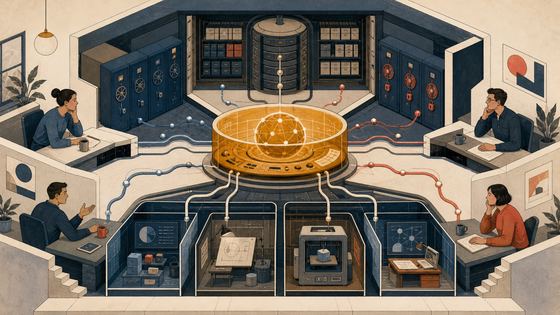
It is reasonable to think of a notebook as a retrieval-and-synthesis system:
question
   ↓
selected sources
   ↓
relevant passages
   ↓
grounded response + citations
That diagram is an engineering inference, not a statement about Google’s exact indexing, ranking, chunking, embedding, or model stack.
The practical consequence is simple: a notebook cannot rescue a weak evidence base. If the collection contains copied summaries but not the original report, an old manual but not the current release notes, or five articles repeating one unsupported claim, the answer may be well grounded in poor material.
Sources: broad support, real limits
On the web, Google currently documents support for:
- Google Docs, Slides, and Sheets;
- PDF, DOCX, PPTX, TXT, Markdown, CSV, and ePub files;
- pasted text;
- common image formats;
- local audio files;
- web URLs;
- public YouTube URLs with captions;
- Gemini chats used as notebook context.
An uploaded source can be up to 200 MB or 500,000 words. Google Slides are limited to 100 slides, and Google Sheets are currently limited to 100,000 tokens. The Standard tier allows 50 sources per notebook; paid plans increase that number. These limits can change, so the Gemini Notebook upgrade table should be treated as the source of truth rather than a number copied into a permanent checklist.
Import semantics matter more than extensions:
- A web URL contributes the page’s text, not its images, embedded media, or nested pages. Paywalled pages are unsupported.
- A YouTube source contributes the transcript of a public video with captions, not a complete understanding of its visuals.
- Google Drive imports can auto-sync, but Notebook does not import comments or footnotes from Google files.
- Local audio is transcribed at import. A bad recording can therefore create a bad source before chat even begins.
- A source can become inaccessible when its Drive permission is removed. It may still count toward limits while no longer contributing to chat or Studio outputs.
- Notebook rendering may differ from the original file. For tables, footnotes, equations, or layout-dependent meaning, open the original too.
Before asking any substantive question, inspect at least one passage from every important source type. Check that the PDF text is selectable, the web page did not lose its central table, and the video transcript contains the part you intend to cite. This takes minutes and prevents hours of confident synthesis over incomplete inputs.
One reproducible research workflow
To make the product testable, use a question with a finish line. Here is a workflow that can be repeated without claiming a private benchmark or invented personal result.
Suppose the question is:
Should a small engineering team adopt a new database for a write-heavy service over the next twelve months?
The method works for other domains, but this example exposes the important tensions: marketing claims, benchmarks, operational experience, and time-sensitive releases.
Step 1: Write the decision before collecting material
Create a short note outside the notebook:
Decision:
Adopt, run a limited pilot, or reject for this service.

Constraints:
Five engineers, one region, modest operations budget,
strict recovery objective, decision horizon of twelve months.

Evidence needed:
Architecture, write behavior, failure recovery, operating burden,
pricing, migration path, and recent production experience.
This prevents source collection from becoming a hobby. A research notebook should serve a decision or an understanding, not merely accumulate documents.
Step 2: Discover sources, then curate them
Gemini Notebook offers two discovery paths.
Fast Research searches the web or accessible Drive files and returns a list that you can review and import. It is appropriate when you know the shape of the material you need: official documentation, a particular presentation, or a small set of recent sources.
Deep Research is an agentic research mode that can explore many sites, analyze what it finds, and produce a multi-page report with sources for import. It is useful for mapping an unfamiliar field or creating an initial landscape. It can continue while you work elsewhere in the notebook.
Discovery is not curation. Before import, favor:
- primary documentation and release notes;
- methodology-rich benchmarks rather than benchmark headlines;
- postmortems with concrete conditions;
- independent reports that disclose incentives and dates;
- recent sources when the product changes quickly.
Deep Research can expand the search surface, but it cannot decide what evidence deserves your trust. Its report should be treated as a map into sources, not as the final authority.
Step 3: Name and group the evidence
Import a deliberately small first set. Ten strong sources are easier to reason about than fifty partially relevant ones.
Use a naming convention such as:
[OFFICIAL] Architecture documentation — 2026-06
[OFFICIAL] Release notes — 2026-07
[BENCHMARK] Write throughput methodology — 2026-03
[OPS] Production postmortem — 2025-11
[COST] Current pricing — accessed 2026-07-31
When a notebook has at least five sources, Gemini Notebook can auto-label and categorize them; labels can also be edited manually. Labels are not proof of quality. Their value is that they make source selection visible.
Step 4: Ask for claims, not conclusions
Do not begin with “Which database should we choose?” Start with questions that reveal the evidence:
Using only the selected official sources, list claims about write behavior.
For each claim, provide the citation and note the documented conditions.
Do not infer production performance from architecture alone.
Then isolate another group:
Using only the benchmark and operations sources, create a table with:
claim, workload, hardware, dataset size, failure mode, date, and caveat.
Leave cells blank when a source does not provide the information.
Finally ask for conflict:
Where do the official claims and independent operational reports disagree?
Separate direct contradiction, different test conditions, and missing evidence.
This sequence makes Gemini Notebook an instrument for comparison, before it becomes a verdict machine.
Step 5: Open every decisive citation
Inline citations are the center of the product, not decoration. In chat, citations can reveal the quoted source text; selecting one navigates to its location in context. Google documents that chat can cite direct text and images from sources.
For every claim that could change the decision:
- open the citation;
- read the paragraph before and after it;
- check whether the subject, time period, and conditions match the answer;
- open the original source when layout or omitted material matters;
- record whether the citation supports the whole claim or only part of it.
A citation may be real yet insufficient. A paragraph saying a feature “supports replication” does not establish a recovery time. A benchmark showing high throughput does not establish behavior under failure. A transcript may accurately quote a speaker whose claim is still wrong.
This is why citations matter: not because they make the model automatically correct, but because they make error cheaper to discover.
Step 6: Turn the synthesis into a decision artifact
Once the evidence has survived inspection, use Studio outputs to change its form:
- create a Data Table for side-by-side constraints and export it to Google Sheets;
- create a Report for the decision memo;
- create a Mind Map to expose the branches of the problem;
- create Flashcards or a Quiz for terms the team must learn;
- create a Slide Deck for the review meeting;
- create an Infographic only when a visual relationship is genuinely clearer;
- create an Audio Overview for review during a walk;
- create a Video Overview for a narrated visual summary.
The artifact is not a new source of truth. It is a projection of the current source set and instructions. If it introduces a number or causal claim that you cannot trace, revise or discard it.
Step 7: Preserve the evidence ledger
Export or write a final note with:
Decision:
Pilot for four weeks.

Evidence supporting it:
- Claim + source + date

Evidence against it:
- Claim + source + date

Unknowns:
- Question + owner + test

Revisit trigger:
- New release, cost change, or failed recovery test
Unknowns are as important as the conclusion. Preserve uncertainty instead of polishing it away.
Studio outputs are transformations, not independent research
Gemini Notebook’s Studio has grown far beyond the original Audio Overview. The available output types now cover listening, viewing, studying, structuring, and presenting.
Audio and Video Overviews
Audio Overviews produce a spoken discussion or explanation based on selected sources. They can be customized by language, length, source selection, and prompt. On mobile they support background listening and offline access inside the app. Interactive Mode is available as an English beta for joining the host conversation.
Video Overviews combine narration and visuals. Users can choose formats and visual styles. They are helpful when spatial explanation or visual sequencing adds something; they are wasteful when a short written summary would be clearer.
Google warns that these AI-generated artifacts can contain inaccuracies and audio glitches. They are interfaces for review, not substitutes for sources.
Mind Maps
Mind Maps arrange topics and relationships in a branching view. They are useful for orientation: finding the major themes, locating a weakly connected idea, or choosing which part of a large source set to read next.
A neat tree can make a disputed field look settled. Use a mind map to navigate, not to prove causality.
Reports and Data Tables
Reports can turn selected sources into briefings, study guides, or custom written forms. Data Tables extract comparable facts into rows and columns and can export to Google Sheets, with citations placed in a separate tab.
Tables reveal absence. If one study reports sample size and another does not, leave the second cell blank and instruct the system not to infer missing fields.
Flashcards and Quizzes
These turn sources into retrieval practice. They suit terminology, dates, definitions, and distinctions, but not ambiguous judgments where one generated answer erases legitimate debate. Sample the cards against citations before high-stakes study.
Slide Decks and Infographics
Slide Decks create presentations from source material and support revisions to text, layout, and visuals. Infographics produce a single visual summary that can be downloaded as a PNG.
These outputs are persuasive by design. A wrong sentence in chat is visible as prose; inside a polished chart, it can acquire undeserved authority.
Standard, Plus, Pro, and Ultra
Google currently offers Gemini Notebook through four consumer access levels, with two storage variants for Ultra. Exact quotas are explicitly marked “subject to change,” so this article will not turn every daily limit into a table that becomes stale.
The durable differences are:
- Standard is the free baseline. It currently supports 100 notebooks, 50 sources per notebook, and lower daily artifact and chat limits.
- Plus raises notebook, source, chat, Studio, and Deep Research limits.
- Pro raises them again, including substantially more sources per notebook and higher research/output quotas. Google announced that secure cloud computer and code execution capabilities were rolling out to all Pro users on the web in the weeks following the July 16 rename.
- Ultra provides the highest consumer limits and agentic capabilities in chat. Google documents actions such as searching the web, running code, and creating downloadable files, charts, and images. At launch of the renamed product, a secure cloud computer was available for Ultra users and qualifying Workspace business customers.
The phrase secure cloud computer is Google’s product description. The observable promise is code execution for analysis grounded in notebook sources, plus new file and chart outputs. It does not reveal the sandbox, runtime, network policy, or model routing.
Choose a tier by constraint. Standard may be enough for focused, occasional research. Upgrade when source count, collaboration controls, output volume, or agentic analysis is a real bottleneck. Higher quotas do not improve weak judgment.
Organizations also have distinct routes through qualifying Workspace, Workspace for Education, and Google Cloud enterprise plans. Enterprise access can add administrative controls and data protections such as IAM, VPC Service Controls, regionalization, and keeping uploaded files within the organization’s Google Cloud project. Plan availability varies by account, license, and region; an administrator and the current official plan pages are more reliable than a blog comparison.
Gemini app synchronization changes the boundary
Gemini Notebook remains a standalone product, but notebooks can now be created and accessed in the Gemini app with cross-app synchronization. A Gemini conversation can use a notebook as context, and Gemini chats can also be added to a notebook as sources.
This is convenient, but it creates a boundary worth noticing. Data shared with another Google service is governed by the relevant privacy policy and service-specific notice, including the Gemini Apps Privacy Notice. “Inside my notebook” and “used as context in another app” are not automatically the same data-handling situation.
The right habit is deliberate movement:
- keep the canonical source collection in the notebook;
- use the Gemini app when the cross-app workflow adds value;
- check which notebook is attached before sending a prompt;
- avoid moving confidential material merely because synchronization makes it easy.
Convenience erases borders quickly. Good knowledge work redraws them consciously.
Mobile is a companion, not the complete workspace
The mobile app now supports more than its early release. On iOS and Android, it can:
- add PDFs, websites, YouTube videos, audio, and pasted text;
- receive supported content through the system share sheet;
- run Fast Research against the web;
- chat with selected sources;
- create and play Audio and Video Overviews;
- use flashcards and quizzes;
- generate or view infographics and slide decks.
Audio Overviews can be saved for offline access inside the app, but they cannot be exported as ordinary audio files. Video Overviews can be downloaded from their mobile overflow menu. Device synchronization may be delayed.
Important desktop features remain absent on mobile: Google says the app cannot yet generate or view notes, Mind Maps, Reports, or Data Tables. It also lacks chat configurations and chat analytics. Source types are narrower than on the web.
Use the division deliberately:
- use mobile to capture, ask, listen, and review;
- use desktop to curate sources, inspect complex evidence, build tables, and finish a research artifact.
Privacy depends on the account, and feedback is a separate act
For a personal account, Google says notebook content is not used to directly train its foundation models unless you choose to provide feedback. If you send thumbs-up or thumbs-down feedback, the associated prompts, sources, uploads, chats, and generated outputs may be collected, reviewed by trained teams, used to improve products and machine-learning technologies, and retained for up to three years after being disconnected from your account.
The practical rule is plain: do not include confidential or sensitive material when submitting product feedback.
For Google Workspace and Workspace for Education users, Google states that uploads, queries, and responses are not reviewed by human reviewers even when feedback is sent and are not used to train AI models. Qualifying work accounts use Gemini Notebook as a Workspace core service or add-on under the applicable work terms; school accounts use the Workspace for Education terms.
For Gemini Notebook Enterprise through Google Cloud, Google documents stronger enterprise protections: files remain in the customer’s project, data regionalization is honored, and files, chats, and outputs are not reviewed by humans or used to improve generative AI models. Administrative controls depend on the plan.
Before importing sensitive data, answer:
- Which account am I using?
- Which terms apply to that account?
- Will I share the notebook or use it in the Gemini app?
- Does the organization permit this data in the service?
- What happens if a source’s Drive permissions change?
- Can the research be done with redacted material instead?
Privacy is a chain of account type, service boundary, sharing choice, feedback, and source permission.
Limits: where grounded still goes wrong
Source grounding reduces one class of failure. It does not remove interpretation error.
Citation does not equal entailment
An answer may cite a nearby passage that supports only part of its sentence. Open the citation and narrow the claim.
Imported text is not the whole object
Web pages lose embedded material. YouTube sources are transcripts. Google files omit comments and footnotes. Scans and complex layouts may import poorly. Inspect originals for decisive evidence.
Multiple sources are not independent evidence
Ten articles may all repeat the same press release. Ask which claims originate independently and which are copies.
Recency is not automatic
A notebook can contain an old price, deprecated API, or superseded policy. Include dates in source titles and ask for time conflicts explicitly.
Generated artifacts can hide uncertainty
Audio, video, slides, and infographics compress. Compression often removes caveats first. Keep the evidence ledger beside the polished artifact.
Deep Research is not final review
Agentic discovery can cover more ground, but search breadth is not epistemic authority. Review imported sources, incentives, dates, and missing primary evidence.
Code execution changes the error surface
When agentic chat runs analysis, inspect the inputs, assumptions, code where available, and generated files. A chart can be computationally correct and still answer the wrong question. Secure execution does not imply valid statistics.
When not to use Gemini Notebook
Do not reach for it by default.
Use another tool when:
- you need live operational data rather than imported snapshots;
- the task depends on exact spreadsheet formulas, database transactions, or deterministic transformation;
- sources are so sensitive that the applicable account and organizational policy do not permit upload;
- the answer requires professional legal, medical, or financial judgment;
- you need exhaustive archival search across a corpus larger than notebook limits;
- the essential evidence is visual, spatial, or embedded in media that import reduces to text;
- the task is simply to write from your own idea and no source grounding is needed.
For deterministic extraction, write code. For durable structured knowledge, use a database or version-controlled notes. For high-stakes decisions, involve qualified people. Gemini Notebook belongs between reading and synthesis; it should not pretend to replace every layer around them.
A personal feedback loop that remains honest
The best personal use is not “ask the notebook to think for me.” It is to use the notebook as a mirror for the quality of your evidence.
At the end of a research session, record:
- one claim you changed your mind about;
- one citation that did not support the generated wording;
- one missing source that would change the conclusion;
- one artifact that improved understanding;
- one output that looked impressive but added no value;
- one date when the notebook should be reviewed again.
After several sessions, patterns appear. Perhaps your prompts ask for conclusions too early. Perhaps imported web pages routinely lose tables. Perhaps Audio Overviews help you remember a landscape, while Data Tables help you make decisions. Perhaps Deep Research expands your source list but primary documentation resolves the real question.
These observations reveal where the tool changes your work and where it merely changes the surface.
The lesson for personal knowledge systems
Gemini Notebook suggests a broader design principle:
A useful knowledge system should preserve the path from source to claim to decision.
Many personal knowledge systems optimize capture. They collect links, highlights, transcripts, and notes until the archive becomes a quiet form of avoidance. Retrieval improves, but judgment does not.
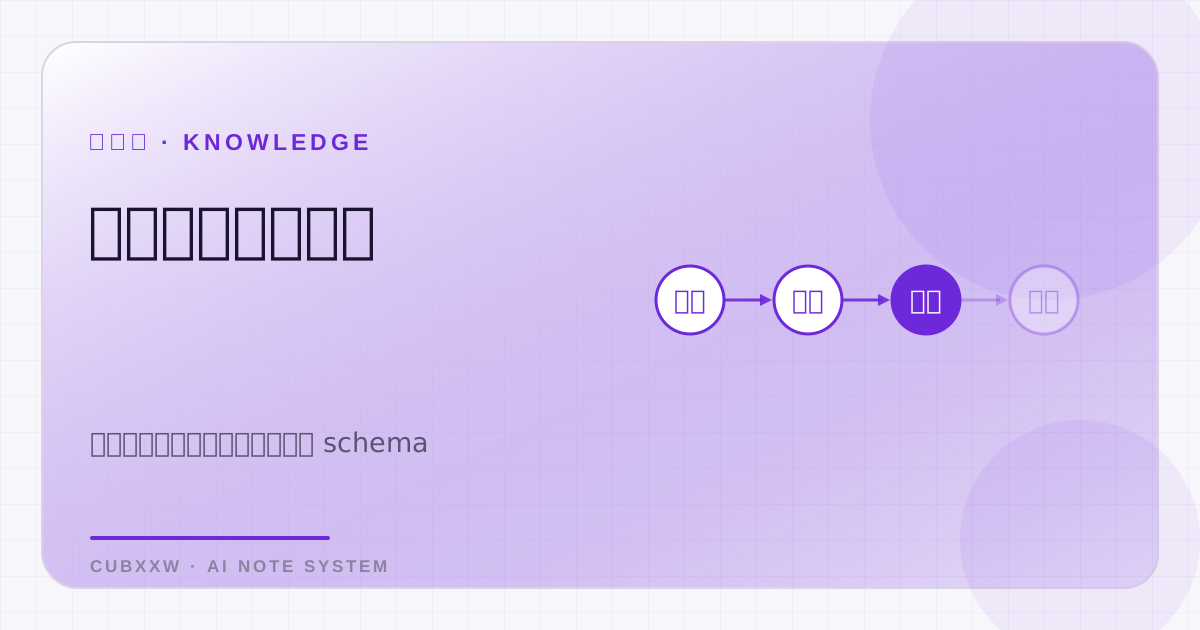
A healthier system has four visible layers:
source → claim → synthesis → decision
Each arrow needs a way back. Claims point to passages, synthesis preserves disagreement, decisions record evidence and revisit triggers, and later experience can invalidate a decision without rewriting history.
Gemini Notebook helps most with the middle of this chain: citations shorten the route back, Studio changes the form, research modes expand discovery, and cross-app access reduces friction. The human still decides which sources enter, which citations deserve trust, and when an elegant artifact has compressed away too much truth.
The rename from NotebookLM to Gemini Notebook may look like branding. The more meaningful change is that the notebook is becoming active: it can search, synthesize, visualize, and increasingly execute. As tools gain agency, our responsibility shifts. We spend less time producing first drafts and more time defining evidence, checking transitions, and preserving uncertainty.
That is not less thinking. It is thinking closer to the source.
Official references
All product claims in this article are based on Google documentation available on July 31, 2026:
Responses